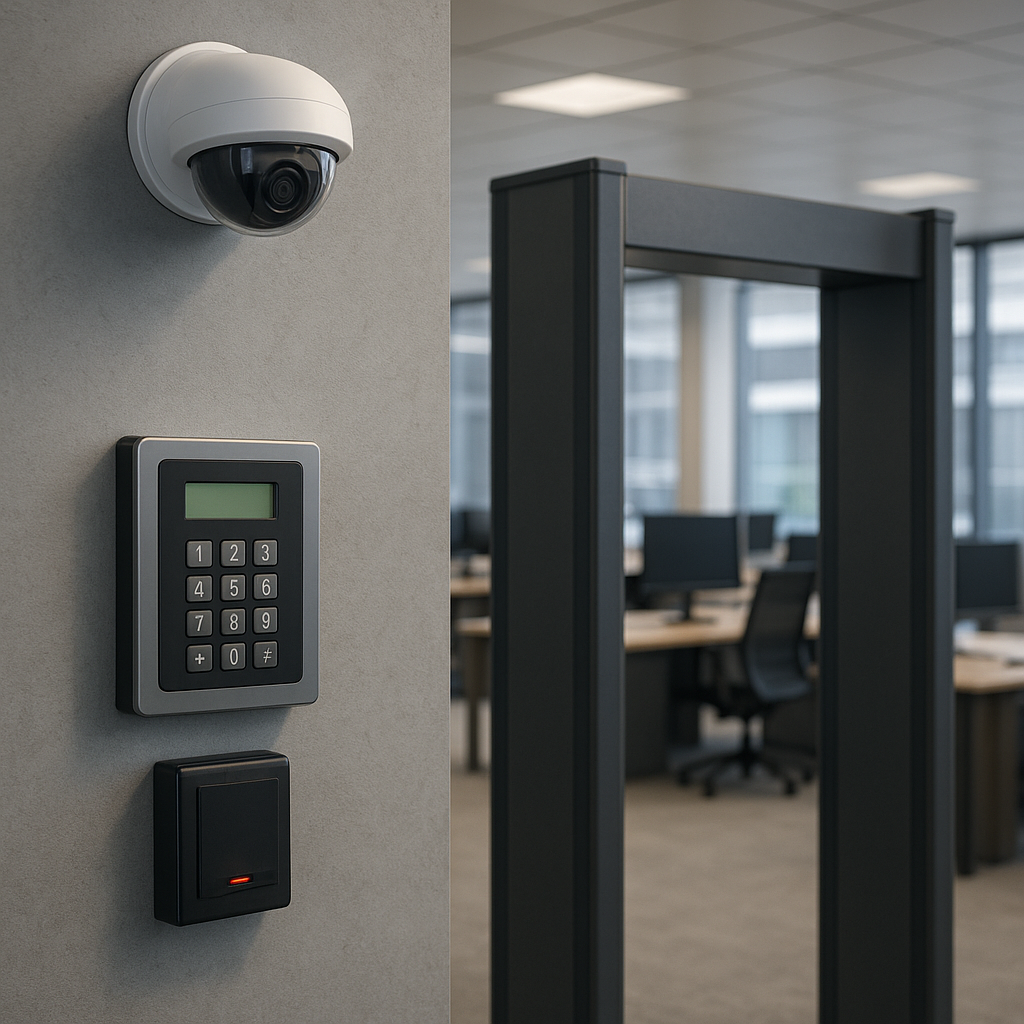
Delivering a robust defense against unauthorized access and potential threats requires a well-rounded approach that covers every aspect of an office environment. By implementing layered strategies and adopting the right technologies, companies can protect their assets, employees, and sensitive data from breaches. This article explores essential physical security strategies and highlights how to mitigate risks through thoughtful design, strict procedures, and modern tools.
1. Conducting a Thorough Risk Assessment
Before investing in locks, cameras, or alarm systems, organizations must understand their unique security challenges. A comprehensive risk assessment identifies vulnerabilities, prioritizes threats, and informs a tailored security plan.
1.1 Identifying Critical Assets
The first step is to catalog all critical assets, which may include:
- Physical infrastructure such as servers, workstations, and confidential files
- Employee well-being and controlled areas like executive offices or labs
- Data storage rooms and networking closets
By mapping these assets, teams can allocate resources where they’ll have the greatest impact on protecting proprietary information and maintaining operational continuity.
1.2 Evaluating Threat Scenarios
Risk scenarios range from petty theft and vandalism to sophisticated intrusion attempts by organized groups. Consider:
- Opportunistic intruders looking for unattended laptops or wallets
- Insider threats involving disgruntled employees or contractors
- Natural disasters that could disrupt operations or compromise safety
Analyzing the likelihood and potential impact of each scenario helps define acceptable risk levels and shapes the security budget.
1.3 Prioritizing Mitigation Measures
Once risks are identified, organizations prioritize countermeasures based on cost-effectiveness and ease of deployment. For instance, installing additional lighting in a poorly lit parking area often yields a high return on investment compared to more expensive solutions.
2. Strengthening Perimeter and Access Control
Securing the perimeter sets the first line of defense. Effective access control balances usability with strong protection, preventing unauthorized entry while ensuring authorized personnel move freely.
2.1 Physical Barriers and Fencing
Implementing sturdy fencing, bollards, and gates discourages casual intruders. For high-risk environments, consider incorporating anti-ram barriers or reinforced walls. Underlined here is the importance of demarcating boundaries clearly with distinctive signage to communicate restricted zones.
2.2 Electronic Access Systems
Modern offices should leverage electronic locks, card readers, and keypads instead of traditional mechanical keys. Benefits include:
- Audit trails that record entries and exits for later review (auditing)
- Customizable access privileges by department, time, or role
- Integration with alarm systems to trigger alerts on forced entry
Adding multi-factor authentication (MFA) through biometrics or mobile credentials further enhances security.
2.3 Visitor Management Protocols
Unvetted guests pose a significant risk. Enforce check-in procedures requiring government-issued IDs, visitor badges, and escort policies. Digital visitor management systems streamline this process, capturing photos, purpose of visit, and signatures for legal compliance.
3. Deploying Surveillance and Monitoring Systems
Video surveillance and real-time monitoring serve as both proactive and reactive measures, acting as a deterrent and providing crucial incident data.
3.1 Selecting the Right Camera Technology
Consider camera specifications like resolution, frame rate, and night vision capabilities. Key variants include:
- Fixed dome cameras for general coverage in hallways
- PTZ (pan-tilt-zoom) units for flexible, high-detail monitoring
- Thermal or infrared cameras for low-light conditions
Ensure all footage is stored securely, with encryption enabled to protect against tampering.
3.2 Integrating Alarm and Alert Systems
Alarm systems trigger warnings when sensors detect motion, glass breakage, or unauthorized door openings. Integrating alarms with video analytics allows for automatic notifications to security personnel or law enforcement. Real-time monitoring dashboards help teams assess situations quickly and determine an appropriate response.
3.4 Centralized Security Operations Center
Large organizations may benefit from a dedicated Security Operations Center (SOC) staffed 24/7. The SOC monitors video feeds, analyzes access logs, and orchestrates incident response. This centralized approach improves coordination and reduces response times.
4. Implementing Environmental and Intrusion Detection Measures
Physical security extends beyond barriers and cameras. Protecting against environmental hazards and detecting covert intrusion attempts are equally critical.
4.1 Fire and Smoke Detection
Advanced fire alarm systems use smoke, heat, and carbon monoxide sensors to detect early signs of fire. Integration with suppression systems—such as sprinklers or inert gas flooding—can extinguish flames before they spread. Regular maintenance and testing ensure these systems remain compliant with local fire codes.
4.2 Environmental Monitoring for Data Centers
Data centers require precise control of temperature, humidity, and water intrusion. Install sensors that trigger alerts when thresholds are breached. Automated responses, such as activating backup cooling or shutting down vulnerable equipment, help avoid costly downtime.
4.3 Intrusion Sensors and Glass-Break Detectors
To complement cameras, deploy motion detectors, vibration sensors, and glass-break monitors within sensitive areas. These devices can detect attempted silent entry and pair with access control systems to lock down zones instantly.
5. Establishing Policies, Training, and Compliance
No security solution can succeed without well-defined policies and an informed workforce. Educating staff and enforcing procedures solidify the human element of security.
5.1 Crafting Clear Security Policies
Policies should outline acceptable behavior, access protocols, and incident reporting steps. Topics include:
- Badge display requirements
- Visitor escort procedures
- Media control for USB drives or printed documents
Publishing policies in employee handbooks and digital portals ensures they remain accessible.
5.2 Security Awareness and Drills
Regular training sessions help employees recognize vulnerability indicators, such as tailgating or suspicious packages. Conducting periodic drills—like evacuation or lockdown exercises—fosters confidence and readiness during an actual emergency.
5.3 Regulatory and Industry Standards
Many sectors must adhere to regulations such as HIPAA, PCI DSS, or GDPR. These frameworks often mandate physical controls, including restricted access to data storage areas or logs of facility entry. Auditors will review logs and evaluate whether measures meet the prescribed compliance criteria.
6. Continuous Improvement and Future-Proofing
Security threats evolve over time, and so should your defense mechanisms. A cycle of review, testing, and enhancement ensures sustained protection.
6.1 Regular Security Audits
Internal and third-party audits examine the effectiveness of security measures, revealing gaps in access control or monitoring systems. Incorporate penetration testing to simulate unauthorized breach attempts.
6.2 Technology Upgrades and Scalability
As new threats emerge, upgrade hardware and software to support advanced analytics, AI-driven threat detection, and cloud-based logging. Scalability is key: systems should accommodate office expansions or hybrid work models without compromising security.
6.3 Incident Review and Lessons Learned
After every security incident—major or minor—conduct a thorough postmortem. Analyze what went well, what failed, and how to integrate improvements. This continuous feedback loop fosters organizational resilience and a culture of vigilance.


